
Zero Padding
Pads values to a fixed length. Sortable marks and numbers: 7 → 007.
Steps
- Categories — which elements: tick the categories, and add a filter if only some of them should take part.
- Parameter (any parameter) — whose value to pad; read and written back.
- Target length — total length after padding.
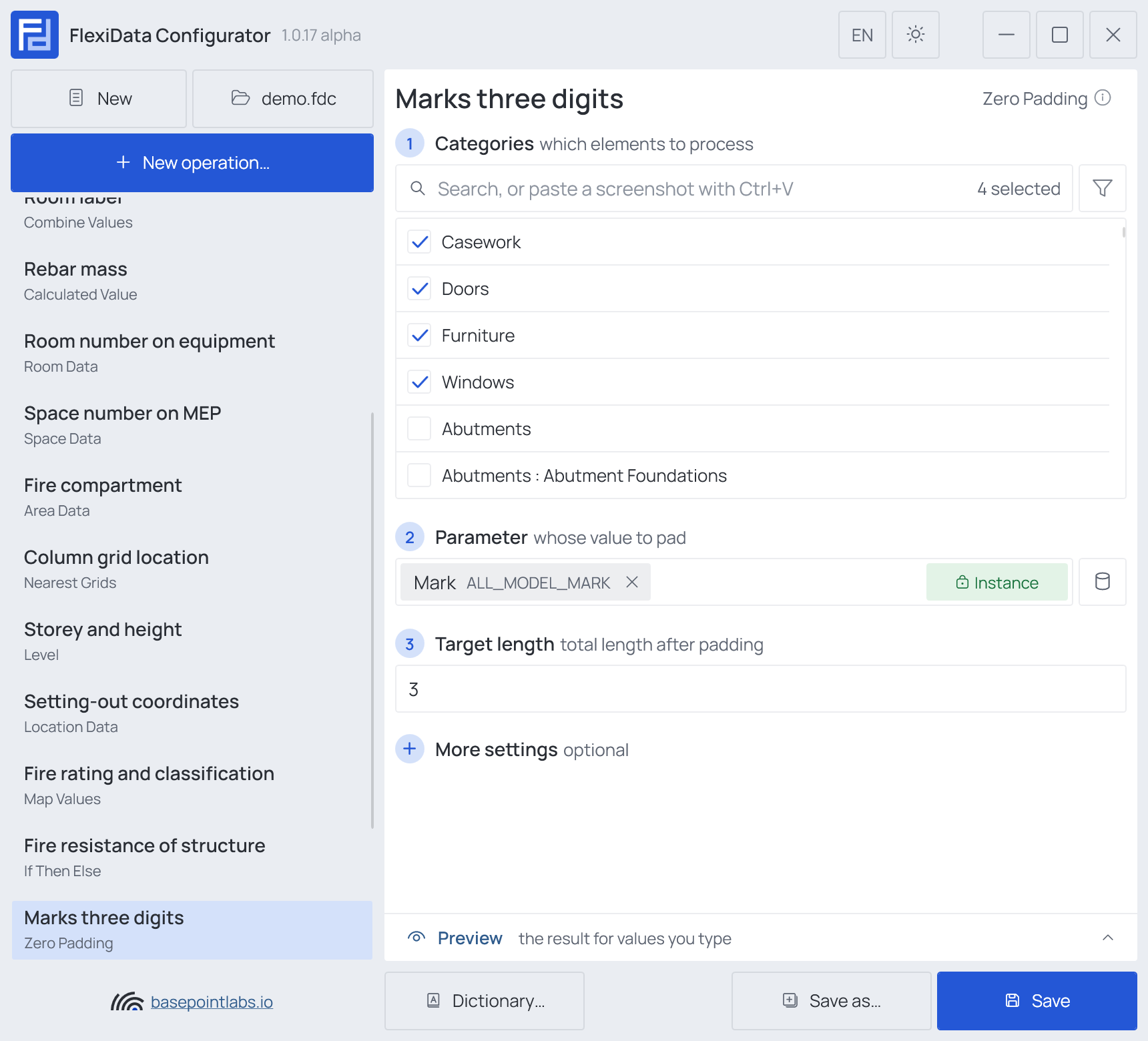
Example
| Value before | Target length 3, Pad Whole value | Pad Number only |
|---|---|---|
7 |
007 |
007 |
D-7 |
D-7 (already 3 long) |
D-007 |
1234 |
1234 (never cut) |
1234 |
| (empty) | (empty) | (empty) |
More settings
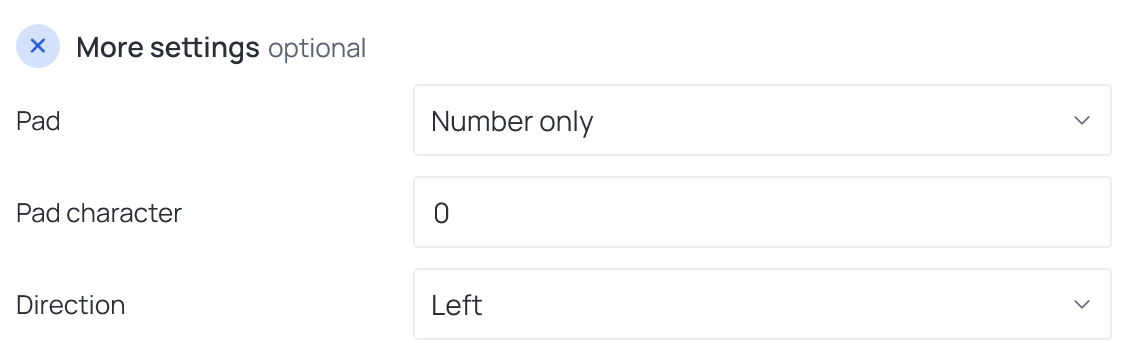
Pad — Whole value or Number only (pads just the last number inside the
value) · Pad character, 0 by default · Direction — Left or Right.
Works with
- Parameters: any parameter of the element — shared, project, family or built-in — typed by name, or a built-in one picked from the list; see Which parameters an operation can use.
- Smart tags: not used by this operation.
- Only if empty: not offered — the operation changes the value already there.
- Preview: type sample values and see what the operation writes, before Revit — see Preview and Example.
- Filter, Active view, Selection: like every operation — see the filter and Whole model, Active view, Selection.