
Area Data
Like Room Data, for areas of one area scheme. Rentable-area codes, fire compartments, zones drawn as area plans.
Steps
- Categories — which elements: tick the categories, and add a filter if only some of them should take part.
- Read from (any parameter) — the area's parameter.
- Write to — the target parameter.
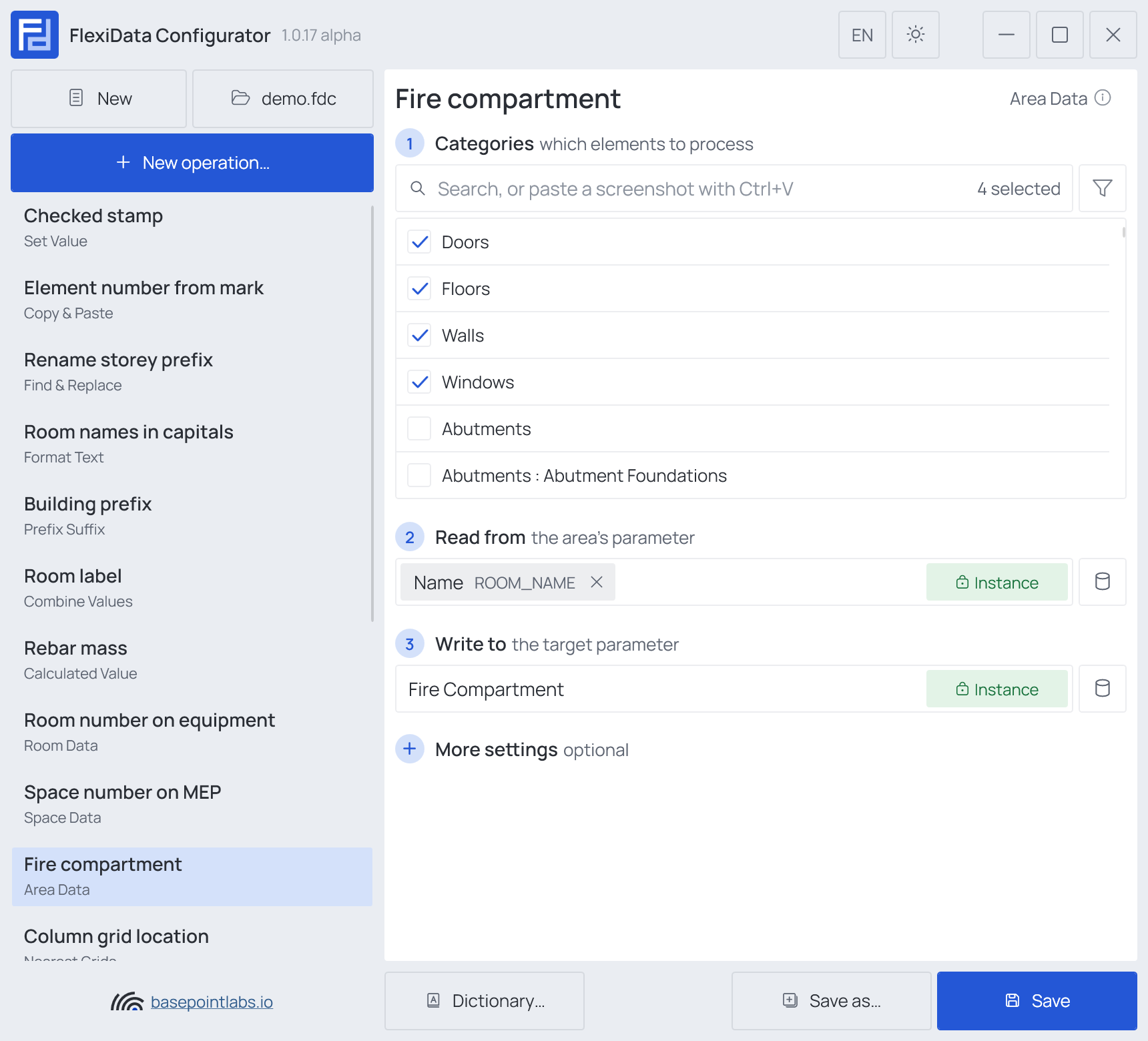
Example
| Element | Lies in (scheme Fire compartments) |
Written |
|---|---|---|
| Door 501230 | BA-02 |
BA-02 |
| Wall 700112 | BA-02 and BA-03 |
BA-02, BA-03 with All intersected areas |
Warning
Only areas on the element's own level count: an element on L01 never takes an area drawn on
the L00 area plan below it.
More settings
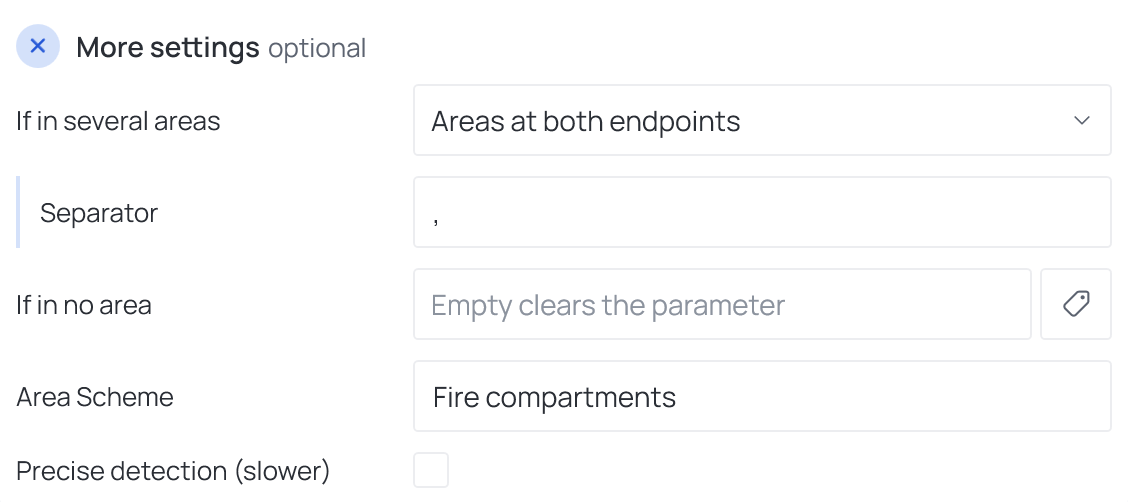
If in several areas (Primary area, Areas at both endpoints, All intersected areas), Separator, If in no area (empty clears — see Empty values), Area Scheme and Precise detection (slower).
Area Scheme names the scheme whose area plans are read. Left empty, the model's only scheme is used; with several schemes, the Executor asks which one when it runs. A name the model does not have stops the operation, and the Configuration check says so before the run. The name is compared exactly, upper and lower case included.
Works with
- Parameters: any parameter of the element — shared, project, family or built-in — typed by name, or a built-in one picked from the list; see Which parameters an operation can use.
- Smart tags: in If in no area — see Smart tags.
- Only if empty: tick it for this operation in the Executor's list before a run, and it writes only where the target is still empty.
- Filter, Active view, Selection: like every operation — see the filter and Whole model, Active view, Selection.