
Copy & Paste
Copies one parameter's value into another on the same element. Filling a shared parameter from a built-in one, carrying a type value down to instances, putting the project number on every sheet.
Steps
- Categories — which elements: tick the categories, and add a filter if only some of them should take part.
- Copy from (any parameter) — the source parameter.
- Paste into — the target parameter.
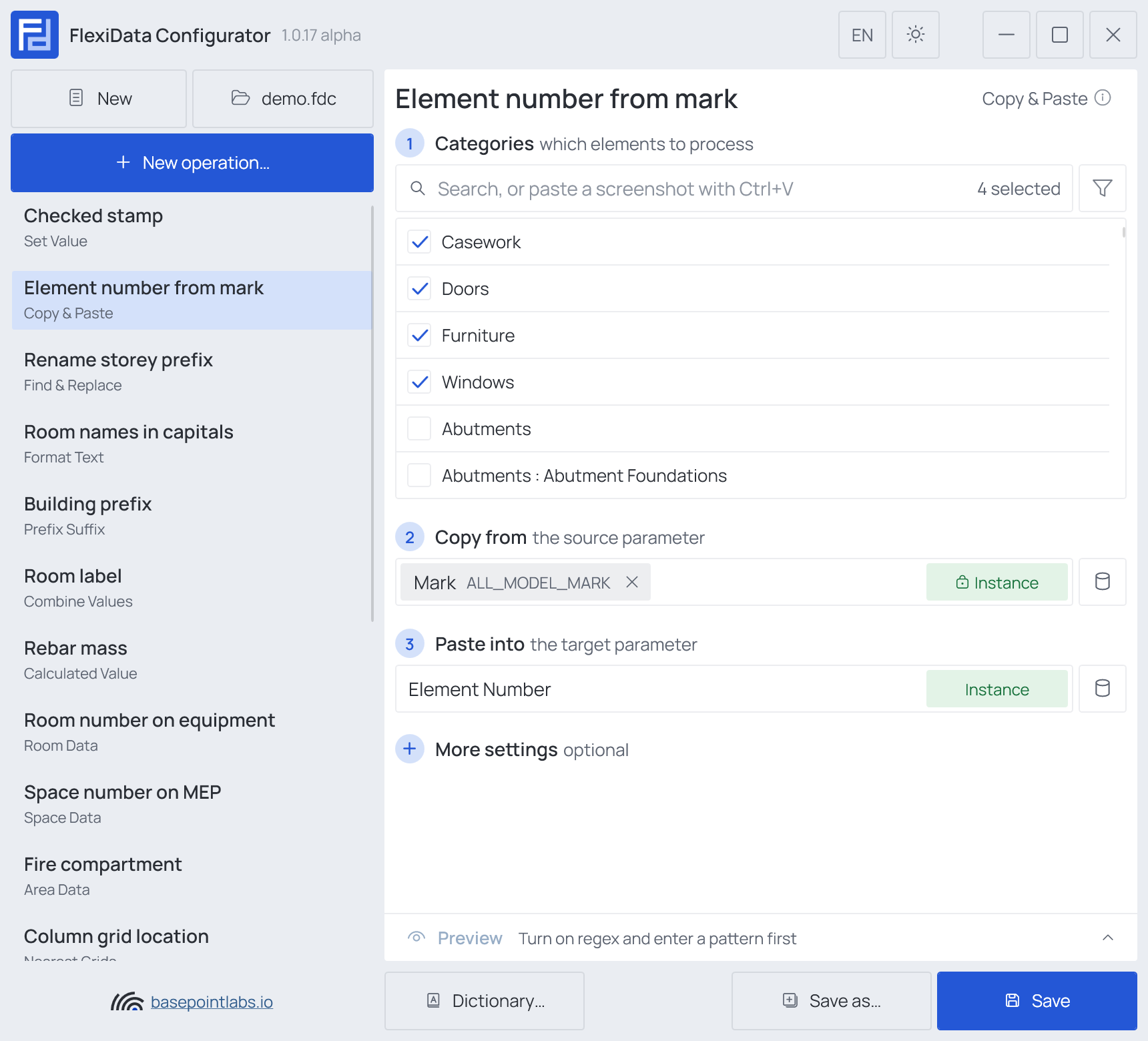
Either can be an instance or a type parameter, in any combination. Values are converted between storage types: a length goes into another length unchanged; anything else is passed as the text the project shows.
Example
| Setting | Value |
|---|---|
| Categories | Doors, Windows, Casework, Furniture |
| Copy from | Mark |
| Paste into | Element Number |
| Mark | Element Number after |
|---|---|
D-012 |
D-012 |
| (empty) | unchanged |
More settings

- From Project Information reads the source from Project Information instead of the element — the same value lands on every element. Project Information has no type, so the Copy from tag is locked to Instance while it is on.
- Use regex takes only part of the source. Regex pattern
W-(\d+)turnsW-123Ainto123: with a group in brackets the group is copied, without one the whole match. If no match: Keep original copies the whole source value, Clear value empties the target, Custom value writes your text.
Warning
An empty source leaves the target as it is — Copy & Paste never clears with nothing.
Works with
- Parameters: any parameter of the element — shared, project, family or built-in — typed by name, or a built-in one picked from the list; see Which parameters an operation can use.
- Smart tags: in the Custom value written when the regex does not match — see Smart tags.
- Only if empty: tick it for this operation in the Executor's list before a run, and it writes only where the target is still empty.
- Preview: type sample values and see what the operation writes, before Revit — see Preview and Example.
- Filter, Active view, Selection: like every operation — see the filter and Whole model, Active view, Selection.