
Move to Workset
Moves elements onto the workset whose name matches a rule. Tidying a model where everything
landed on Workset1, putting all doors on A-Doors, all grids and levels on Shared Levels and
Grids.
Steps
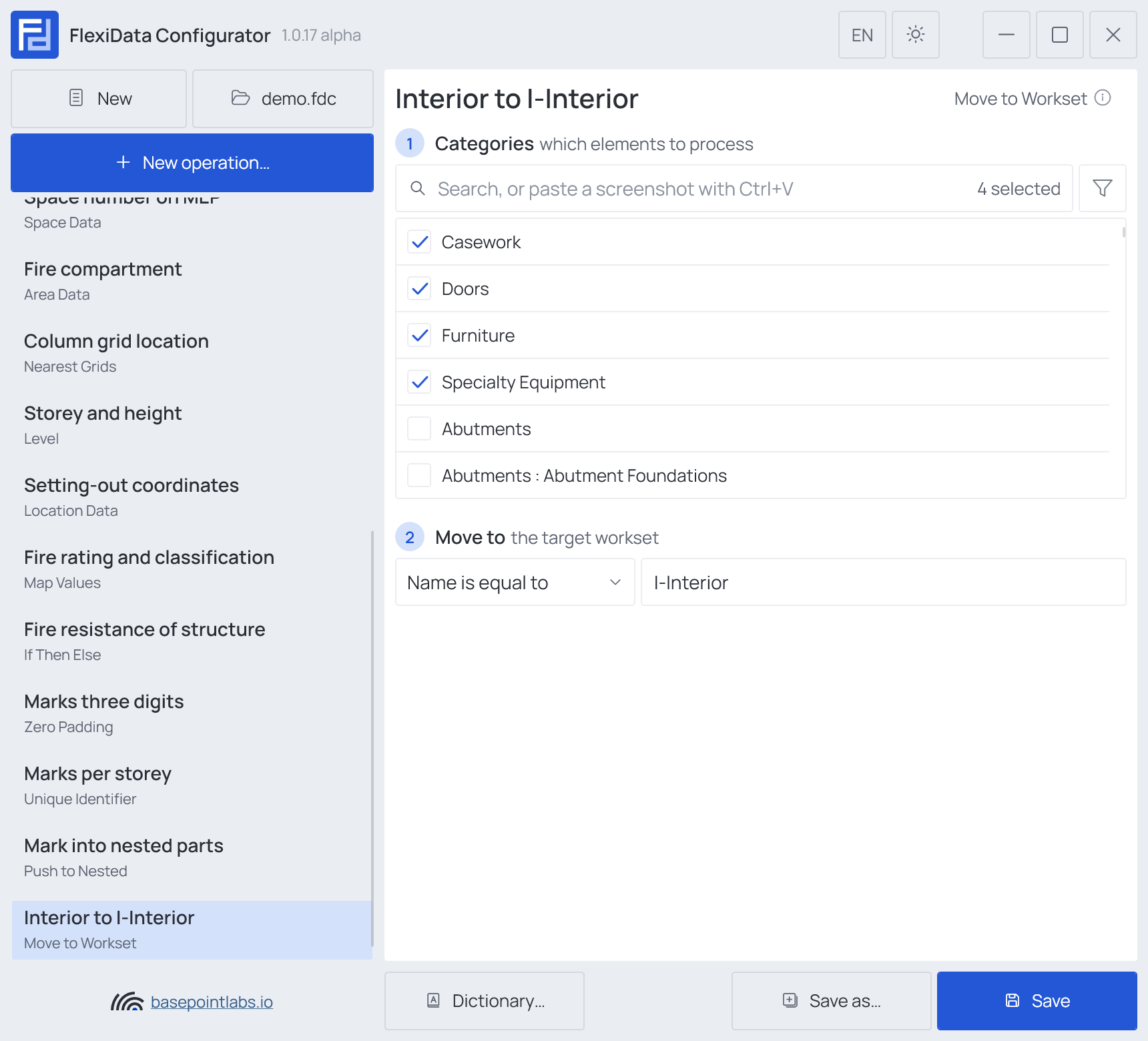
- Categories — which elements: tick the categories, and add a filter if only some of them should take part.
- Move to — the target workset: a match mode — Name is equal to, Name begins with, Name contains or Name ends with — and the text.
The name is matched ignoring upper and lower case, and the rule must match exactly one user workset.
Example
| Setting | Value |
|---|---|
| Categories | Doors, Casework, Furniture, Specialty Equipment |
| Move to | Name is equal to I-Interior |
| Element | Workset before | Workset after |
|---|---|---|
| Door 501230 | Workset1 |
I-Interior |
| Desk 412003 | I-Interior |
I-Interior |
The operation writes nothing but the workset — no parameter changes.
Warning
The model must be workshared, and the workset must already exist. A rule that matches no workset, or more than one, is reported before the run and nothing is moved.
Warning
Elements in a model group, and nested components that follow their parent, stay where they are.
Works with
- Smart tags: not used by this operation.
- Filter, Active view, Selection: like every operation — see the filter and Whole model, Active view, Selection.
Used in: Stray elements onto the right worksets.