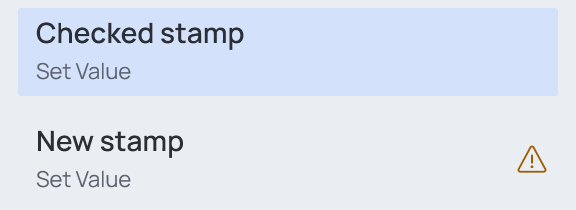
The operation list
The left side of the Configurator lists every operation of the file, in the order they run. Each row shows the operation's name and, under it, its type. Click a row to open its card on the right.
Adding
New operation… above the list (Ctrl+N) opens a dialog with one tile per operation — see New operation.
Renaming, duplicating, deleting
Rest the pointer on a row: its Rename, Duplicate and Delete buttons appear. Right-click a row for the same commands.
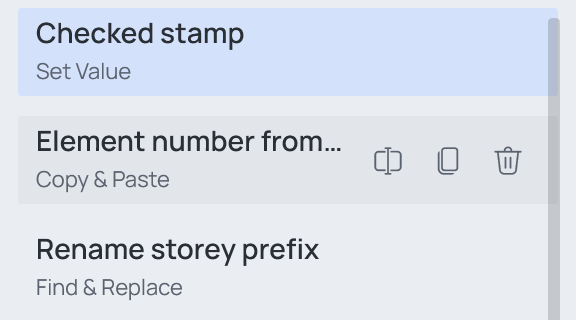
| Action | Button | Keyboard |
|---|---|---|
| Rename | the first | F2, or double-click the name at the top of the card |
| Duplicate | the second | Ctrl+D |
| Delete | the bin — deletes at once | Delete — asks first |
Ordering
Drag rows up and down. The order is the run order: an operation can build on what the ones above it wrote — see Order of operations.
Something missing
When you save, the Configurator checks every operation. If one cannot run yet — no category ticked, no target parameter — it does not save, and says so:

Show first issue opens the first operation that needs attention. Every such operation now has an amber warning in its row, and the fields it is missing are framed red.