
Calculated Value
Works out an arithmetic expression over parameters and writes the number. Net volumes, areas with a factor, quantities per unit, any value Revit could compute in a schedule but not store.
Steps
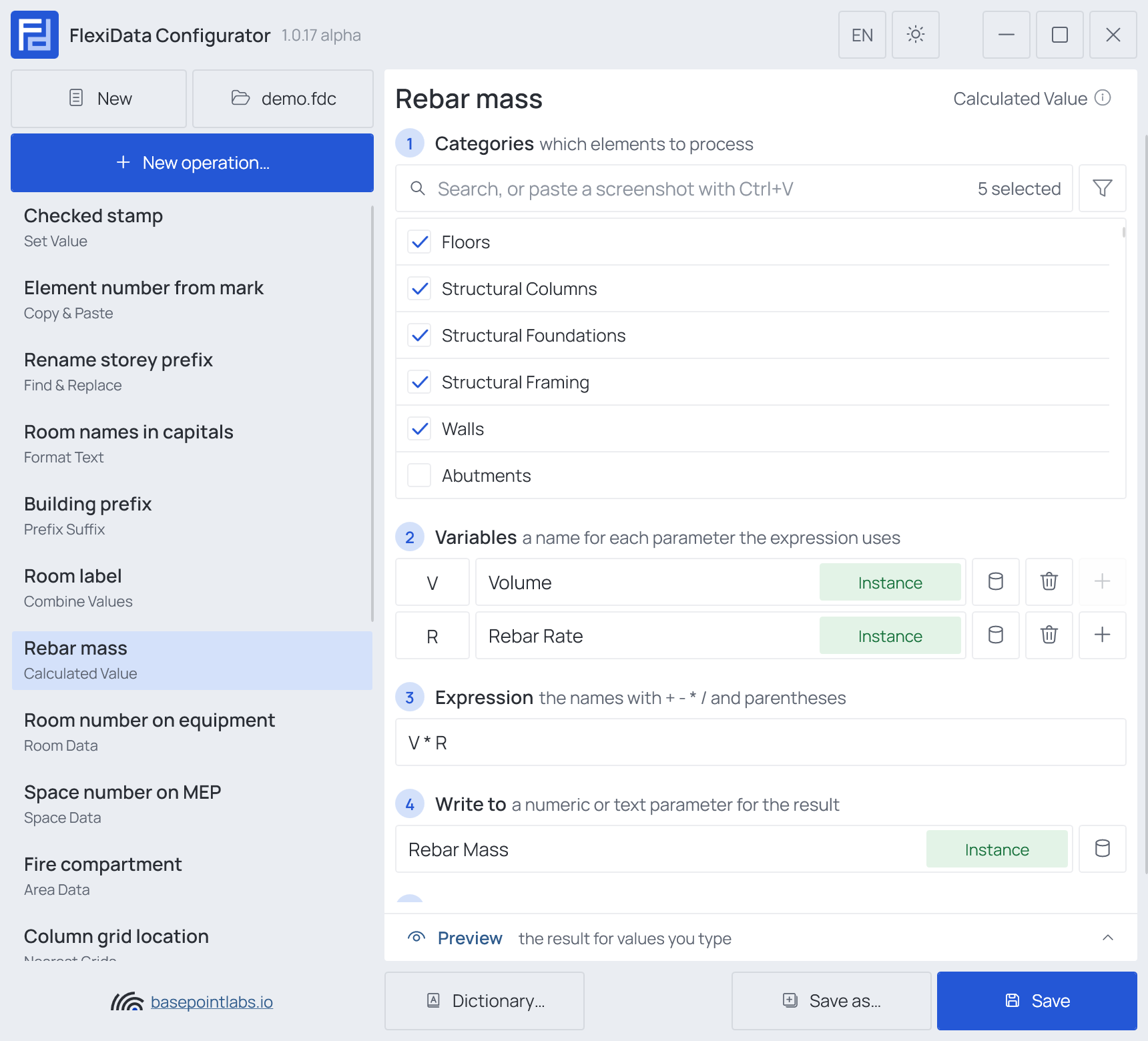
- Categories — which elements: tick the categories, and add a filter if only some of them should take part.
- Variables — a name for each parameter (any parameter) the expression uses:
V→Volume,R→Rebar Rate. - Expression — the names with
+ - * /and parentheses:V * R. - Write to — a numeric or text parameter for the result.
Example
| Setting | Value |
|---|---|
| Categories | Walls, Floors, Structural Columns, Structural Framing, Structural Foundations |
| Variables | V → Volume, R → Rebar Rate (kg/m³) |
| Expression | V * R |
| Write to | Rebar Mass |
| Element | Volume | Rebar Rate | Written (2 decimal places) |
|---|---|---|---|
| Wall 700112 | 12.50 m³ |
120 |
1500.00 |
| Column 610021 | 0.81 m³ |
(empty) | skipped — R has no number |
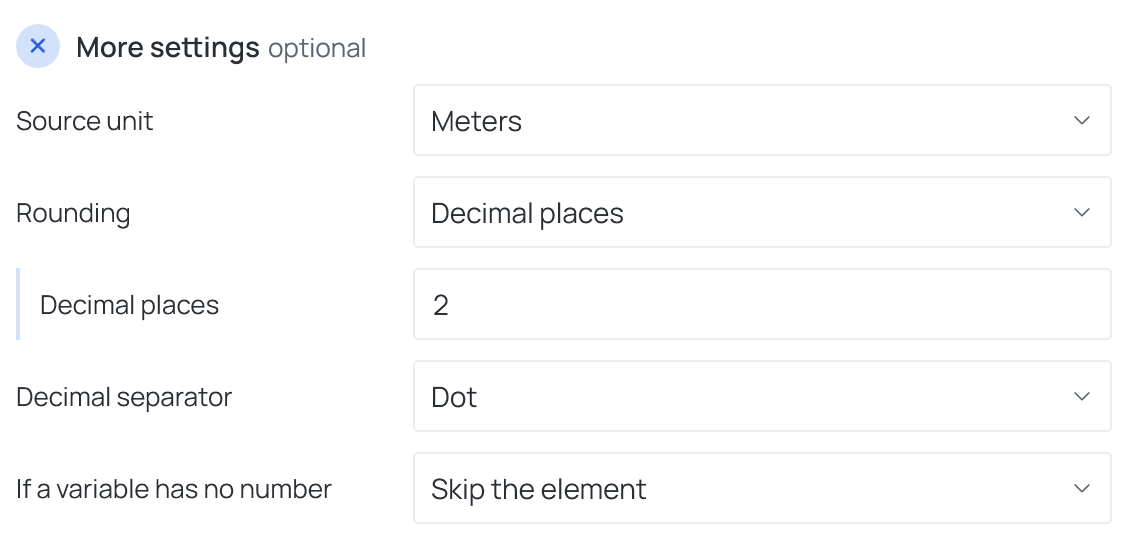
More settings
| Setting | What it does |
|---|---|
| Source unit | The unit lengths, areas and volumes are read in: Project units, Millimeters, Centimeters, Meters, Feet or Inches. A length, area or volume target is written in the same unit |
| Rounding | No rounding, Decimal places or Multiple (round to the nearest 0.05, 5, …) |
| Decimal separator | Dot or Comma, for a text target |
| If a variable has no number | Skip the element or Write a fixed value |
What counts as a number. A variable's value is a number when it is a number and, at most, a unit
after it: 12, 12 mm, 1.234,5 mm, 24 m², Ø100, 1.5E+3. Count words are read as plain
numbers: 5 Stk, 5 pcs. Anything else with letters — Nr. 3, Type-3B, 1.OG, 10a — is not a
number, and If a variable has no number decides: Skip the element or Write a fixed value.
A Yes/No parameter reads as 1 or 0.
Only the variables the expression actually uses are read: a leftover row for a parameter that an element does not have does not stop it.
Warning
Units are not checked: a length times a length is simply a number. Choose Source unit so the
result means what you want — Meters above gives cubic meters.
Works with
- Parameters: any parameter of the element — shared, project, family or built-in — typed by name, or a built-in one picked from the list; see Which parameters an operation can use.
- Smart tags: in the fixed value written when a variable has no number — see Smart tags.
- Only if empty: tick it for this operation in the Executor's list before a run, and it writes only where the target is still empty.
- Preview: type sample values and see what the operation writes, before Revit — see Preview and Example.
- Filter, Active view, Selection: like every operation — see the filter and Whole model, Active view, Selection.
Used in: Conditional values.