
Set Value
Writes one fixed value into every element the operation selects. The simplest operation and the one used most: status flags, default values, a stamp of who checked the model and when.
Steps
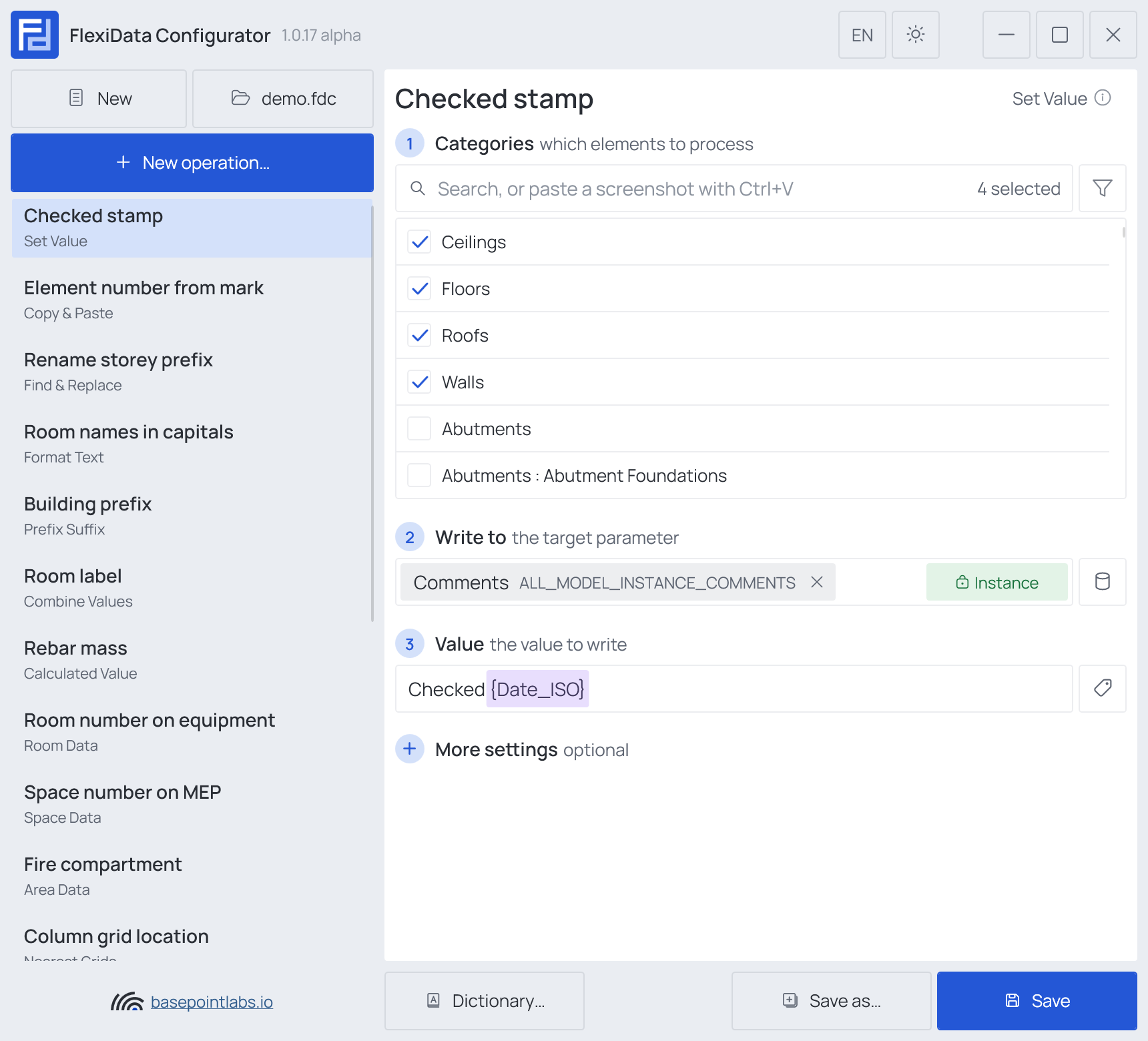
- Categories — which elements: tick the categories, and add a filter if only some of them should take part.
- Write to (any parameter) — the target parameter.
- Value — the value to write: text, a number or smart tags.
The value is converted to the parameter's type, so 2500 mm fills a length and Yes a Yes/No
parameter. Smart tags are resolved per element.
Example
| Setting | Value |
|---|---|
| Categories | Walls, Floors, Roofs, Ceilings |
| Write to | Comments (Instance) |
| Value | Checked {Date_ISO} |
| Element | Comments before | Comments after |
|---|---|---|
| Wall 384512 | (empty) | Checked 2026-10-22 |
| Floor 391007 | old note |
Checked 2026-10-22 |
More settings

- Clear values — empties the target instead of writing a value.
- Only if empty — writes only where the parameter is still empty. The floor in the example would
keep
old note. Saved with the operation, so it holds every time the file runs; the box of the same name in the Executor's list does the same for one run only.
The two exclude each other.
Warning
An empty Value field is not "do nothing": it writes an empty value and clears the parameter (see Empty values) on every selected element.
Works with
- Parameters: any parameter of the element — shared, project, family or built-in — typed by name, or a built-in one picked from the list; see Which parameters an operation can use.
- Smart tags: in Value — see Smart tags.
- Only if empty: tick it for this operation in the Executor's list before a run, and it writes only where the target is still empty.
- Filter, Active view, Selection: like every operation — see the filter and Whole model, Active view, Selection.