
Push to Nested
Copies a parent family's parameter into the families nested in it. Marks or room numbers that must reach the nested parts of a casework or curtain-panel family so they schedule correctly.
Steps
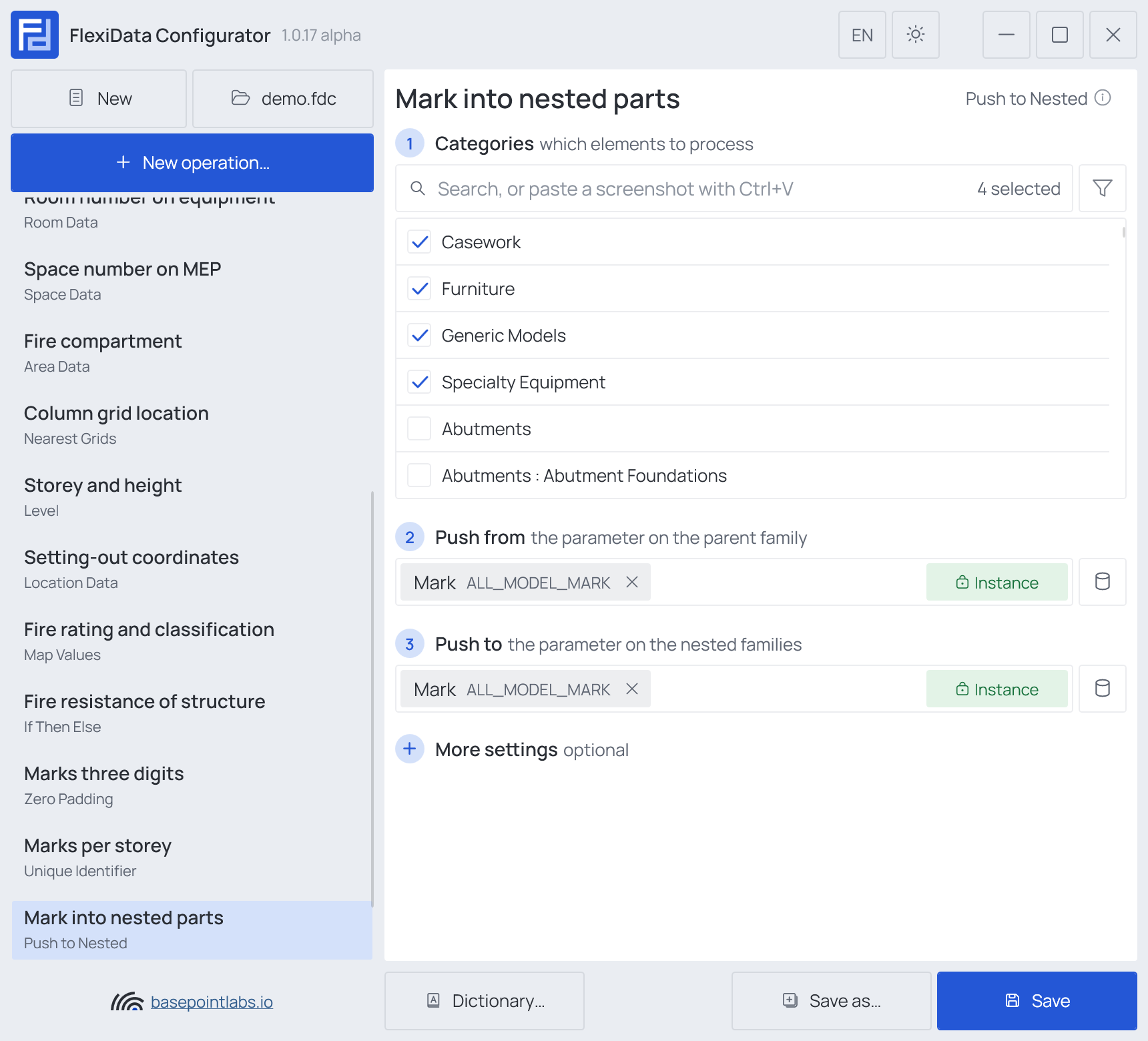
- Categories — which elements: tick the categories, and add a filter if only some of them should take part.
- Push from (any parameter) — the parameter on the parent family.
- Push to — the parameter on the nested families.
Only shared nested families are reached — Revit does not expose the others as elements.
Example
| Parent (casework 412018) | Mark | Nested door panel | Mark after |
|---|---|---|---|
K-07 |
Panel L |
K-07 |
|
Panel R |
K-07 |
More settings
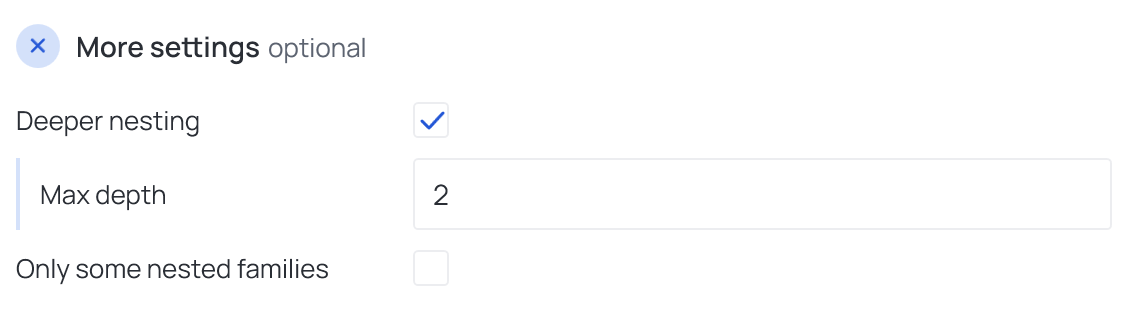
- Deeper nesting also passes the value to families nested inside the nested ones. Max depth says
how far:
1reaches only the directly nested families,2also the ones inside them,3one level further. With Deeper nesting on it must be 2 or more. - Only some nested families opens a second filter — parameter, condition, value, the same as
the category filter — and passes the value only to nested families that match it, for example
Family Name· begins with ·Panel. The others keep their value and are not reported as skipped.
Warning
An empty parent value never erases the nested ones. Nested families without the target parameter are skipped.
Warning
Categories that never hold nested families (walls, for example) are flagged in the Configurator and skipped.
Works with
- Parameters: any parameter of the element — shared, project, family or built-in — typed by name, or a built-in one picked from the list; see Which parameters an operation can use.
- Smart tags: not used by this operation.
- Only if empty: tick it for this operation in the Executor's list before a run, and it writes only where the target is still empty.
- Filter, Active view, Selection: like every operation — see the filter and Whole model, Active view, Selection.