
Level
Writes the name of the level an element belongs to. Useful on elements Revit does not tie to a level at all, and on everything a schedule should group by storey.
Steps
- Categories — which elements: tick the categories, and add a filter if only some of them should take part.
- Level filter — optional: a Yes/No parameter on your levels; levels set to Yes or without it count. Use it to leave out reference levels such as
Top of Parapet. - Write to (any parameter) — the target parameter, which receives the level name.
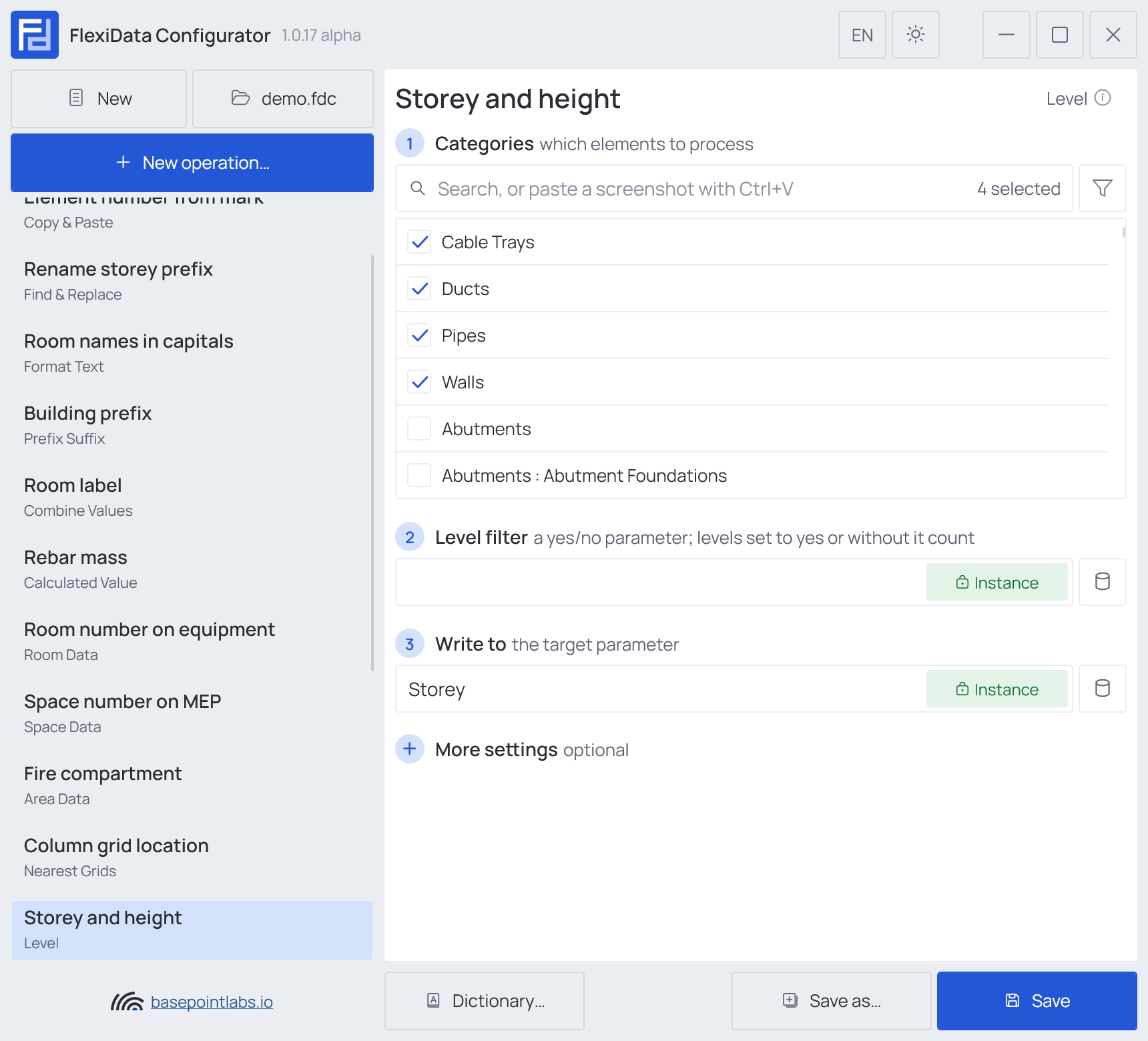
FlexiData takes the element's own level when the element really sits on it, and otherwise the highest level at or below the element's bottom — see Which level counts.
Example
| Element | Spans | Written (Bottom level) | (All intersected levels) |
|---|---|---|---|
| Wall 700112 | L00 to L02 |
L00 |
L00, L01, L02 |
| Duct 700340 | in L01, 2.7 m up |
L01 |
L01 |
More settings
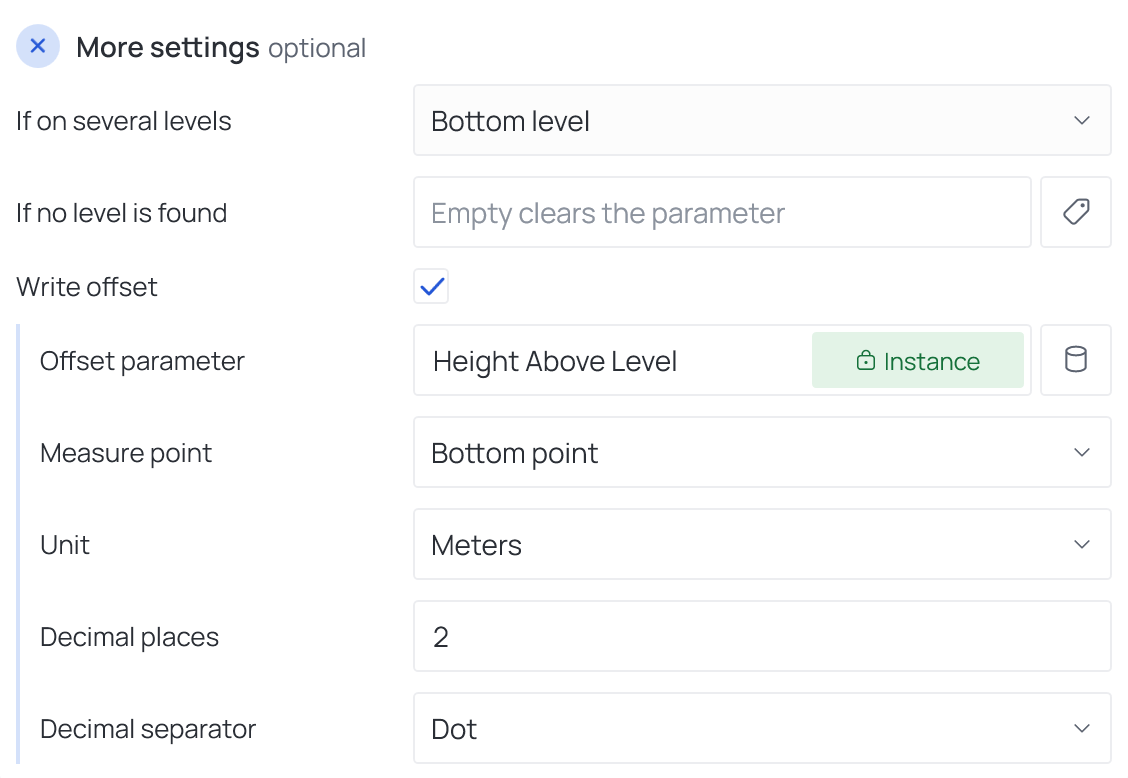
| Setting | What it does |
|---|---|
| If on several levels | For an element spanning storeys: Bottom level, Top level, Endpoints or All intersected levels |
| If no level is found | Text written when there is no level below the element. Empty clears the parameter — see Empty values |
| Write offset | Also writes how far the element sits above its level into a second parameter (negative = below) — see below |
Which level counts
An element takes its own level — the one Revit assigns — as long as its
bottom lies between 500 mm below that level and the next level up. Otherwise, or when Revit assigns
none, FlexiData takes the highest level at or below the element's bottom. So a floor drain sitting in
a slab hosted on L01 reads L01, and an element modelled on L00 but lifted to the L01 storey
reads L01. Endpoints writes the levels at both ends of a linear element; All intersected
levels every level it passes, joined with the Separator (, by default).
Level filter
Level filter (step 2) keeps reference levels out. Give your levels a Yes/No parameter — say
Is Storey — tick it on real storeys, and name it here: levels set to No are ignored, levels
without the parameter still count.
Write offset
Write offset opens five more fields:
| Field | What it does |
|---|---|
| Offset parameter | Where the height above the level is written |
| Measure point | Which point of the element is measured: Center point, Top point, Bottom point, or Start point / End point for linear elements |
| Unit | Millimeters, centimeters, meters, feet or inches |
| Decimal places | 0 to 15 |
| Decimal separator | Dot or Comma |
| Element | Level | Measure point Bottom point, Meters, 2 places |
|---|---|---|
| Light fixture 730011 | L01 |
2.65 |
| Floor drain 730042 | L01 |
-0.30 |
Works with
- Parameters: any parameter of the element — shared, project, family or built-in — typed by name, or a built-in one picked from the list; see Which parameters an operation can use.
- Smart tags: in If no level is found — see Smart tags.
- Only if empty: tick it for this operation in the Executor's list before a run, and it writes only where the target is still empty.
- Filter, Active view, Selection: like every operation — see the filter and Whole model, Active view, Selection.
Used in: Unique numbers per level.