
Nearest Grids
Writes the grid lines nearest to an element. Grid location on columns, foundations and equipment.
Steps
- Categories — which elements: tick the categories, and add a filter if only some of them should take part.
- Grids — which grids to use: Two closest gives one horizontal and one vertical grid,
B/3; Four closest gives the cell around the element,A/1/B/2. - Write to (any parameter) — the target parameter, a text parameter.
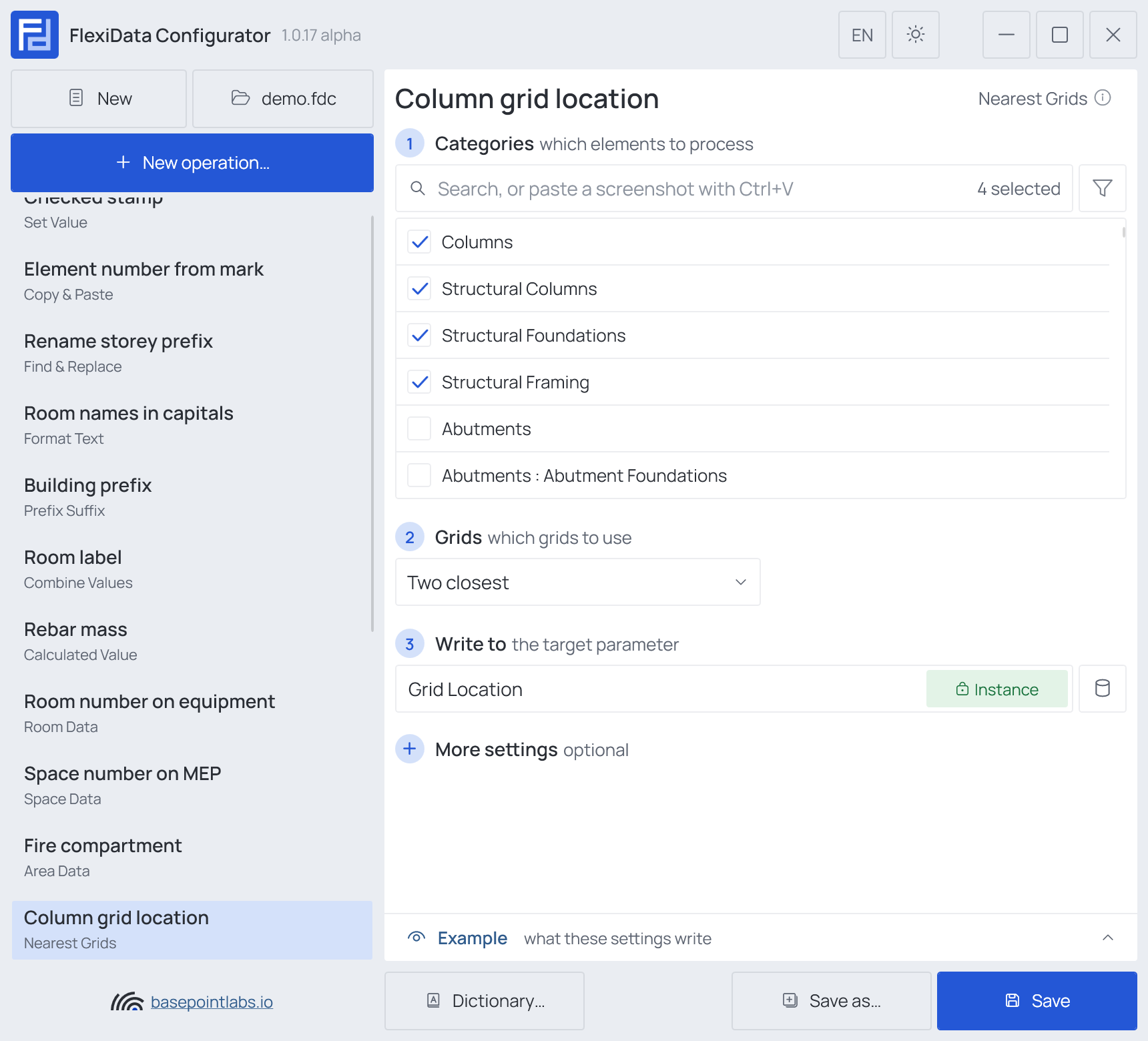
Example
| Element | Nearest grids | Written (Two closest) | with Add distance to grid |
|---|---|---|---|
| Column 610021 | B and 3 | B/3 |
B+1200/3-350 |
| Footing 610022 | on grid C, near 3 | C/3 |
C/3-350 |
How grids are read
Which grid comes first. With Two closest, the grid running up the plan (along Y) is written
first, then the one running across (along X). Four closest writes four places in a fixed order:
nearest up-the-plan grid, nearest across grid, second up-the-plan, second across. A side with no grid
is written as ? in its own place, so the positions never shift.
Where the element is measured from: its location point, or the middle of its location line. A floor, roof or ceiling, which has neither, is measured from the center of its bounding box.
More settings
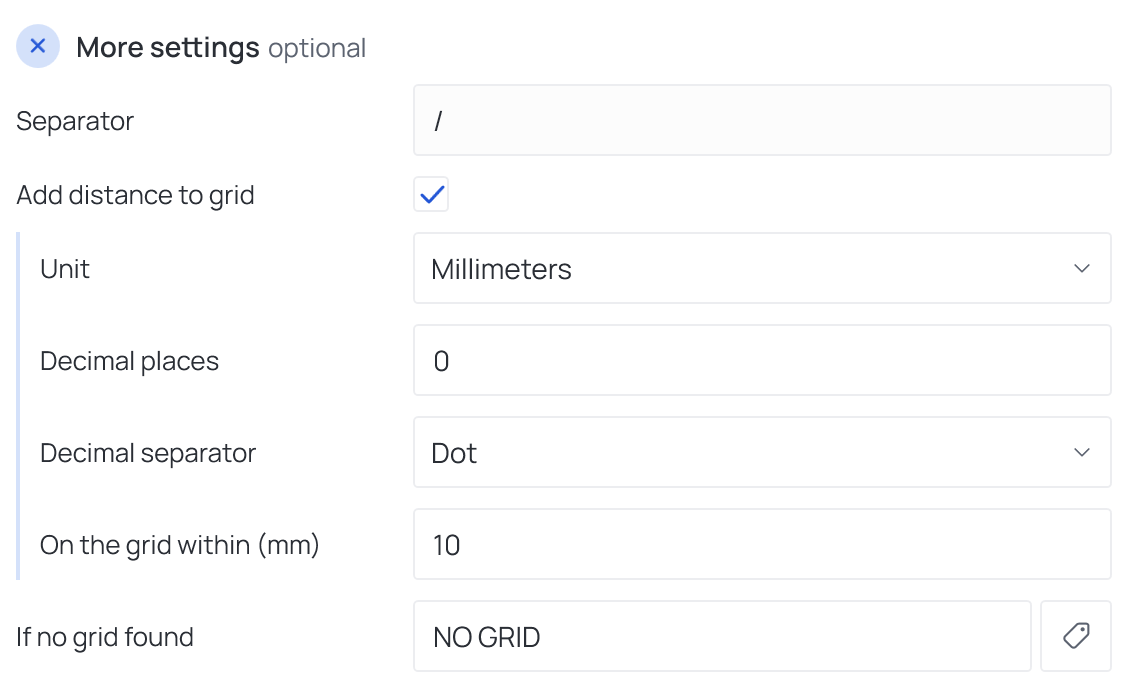
- Separator between grid names,
/by default. - Add distance to grid (Two closest only) writes after each grid name how far the element is from it — see Add distance to grid.
- If no grid found — written when there is no grid nearby. Empty clears the parameter — see Empty values.
Add distance to grid
Add distance to grid opens:
| Field | What it does |
|---|---|
| Unit | Millimeters, centimeters, meters, feet or inches |
| Decimal places | Precision of the distance |
| Decimal separator | Dot or Comma |
| On the grid within (mm) | An element closer to the grid than this gets only the grid name. Default 10 |
The distance is measured in plan, square to the grid: + to the right of a grid running up the
plan and above a grid running across it, - the other side. With distances on, the Separator
must not be empty and must not contain +, -, a digit or the decimal separator — the Configurator
says so in red, because the value could no longer be read back. / always works.
Warning
Only straight grids running along the project's X and Y are read. Arcs and angled grids are ignored.
Works with
- Parameters: any parameter of the element — shared, project, family or built-in — typed by name, or a built-in one picked from the list; see Which parameters an operation can use.
- Smart tags: in If no grid found — see Smart tags.
- Only if empty: tick it for this operation in the Executor's list before a run, and it writes only where the target is still empty.
- Example: shows what the current settings write for a sample element — see Preview and Example.
- Filter, Active view, Selection: like every operation — see the filter and Whole model, Active view, Selection.
Used in: Grid location on columns.