
Prefix Suffix
Adds text before and/or after the value a parameter already holds. Building D-1.04 out of
1.04, marking temporary elements, adding a unit to a number written as text.
Steps
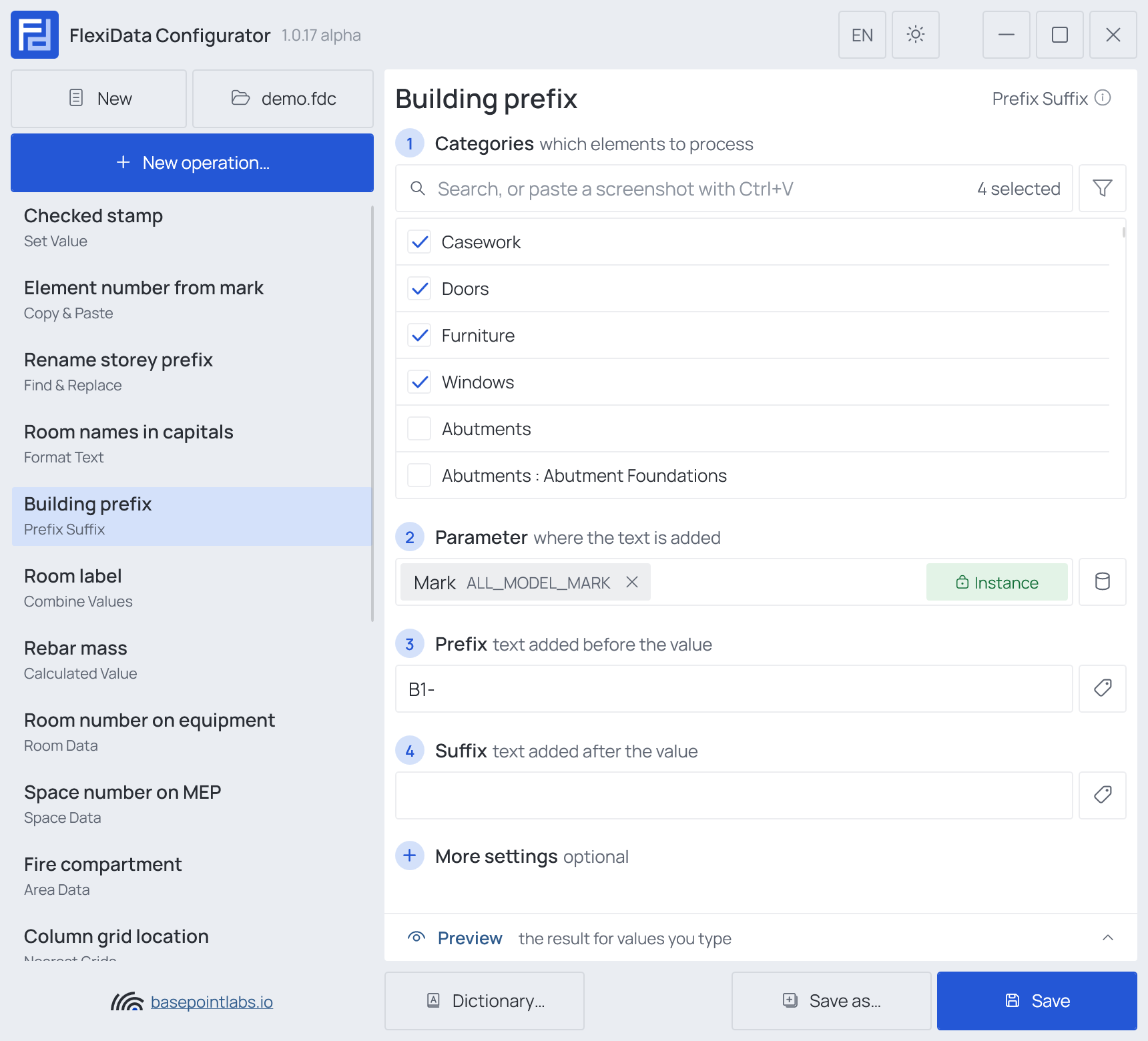
- Categories — which elements: tick the categories, and add a filter if only some of them should take part.
- Parameter (any parameter) — where the text is added; read and written back.
- Prefix — text added before the value.
- Suffix — text added after the value.
One of the two may stay empty. Both take smart tags.
Example
| Setting | Value |
|---|---|
| Categories | Doors, Windows, Casework, Furniture |
| Parameter | Mark |
| Prefix | B1- |
| Mark before | after the 1st run | after the 2nd run |
|---|---|---|
1.04 |
B1-1.04 |
B1-1.04 |
| (empty) | (empty) | (empty) |
More settings

Skip existing prefix/suffix (on by default) does not add a prefix that is already
there, so the operation can run as often as you like. Turned off, every run adds it again:
D-D-1.04.
Warning
An empty value stays empty — there is nothing to put the prefix around.
Works with
- Parameters: any parameter of the element — shared, project, family or built-in — typed by name, or a built-in one picked from the list; see Which parameters an operation can use.
- Smart tags: in Prefix and Suffix — see Smart tags.
- Only if empty: not offered — the operation changes the value already there.
- Preview: type sample values and see what the operation writes, before Revit — see Preview and Example.
- Filter, Active view, Selection: like every operation — see the filter and Whole model, Active view, Selection.