
Format Text
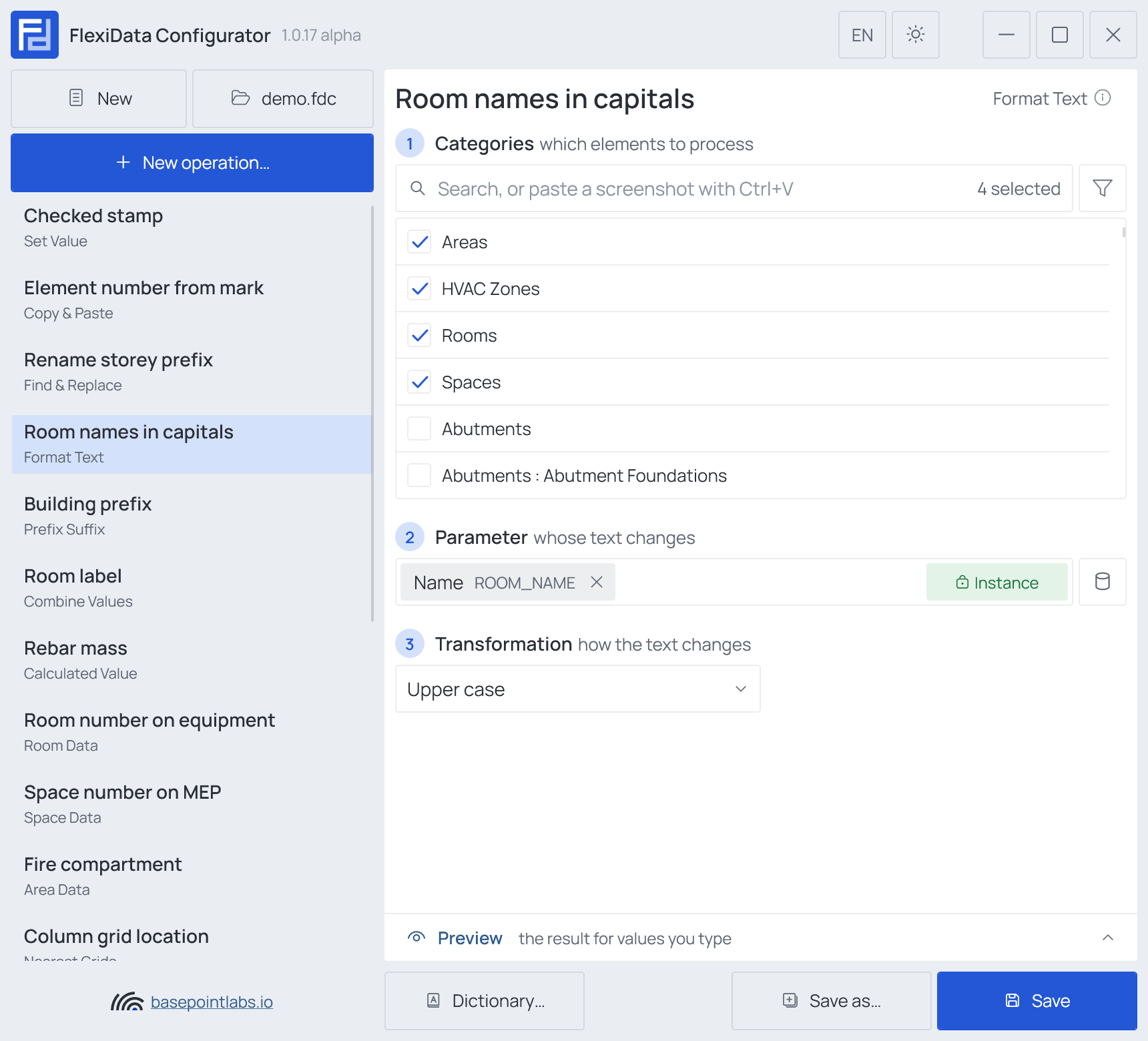
Rewrites the text of a parameter in another case. Uppercase type marks, title-case room names, tidy double spaces after an import.
Steps
- Categories — which elements: tick the categories, and add a filter if only some of them should take part.
- Parameter (any parameter) — whose text changes; read and written back.
- Transformation — how the text changes, as listed below.
Transformations
| Transformation | office north wing becomes |
|---|---|
| Upper case | OFFICE NORTH WING |
| Lower case | office north wing |
| Title case (Office North) | Office North Wing |
| Sentence case (Office north) | Office north wing |
| Pascal case (OfficeNorth) | OfficeNorthWing |
| Camel case (officeNorth) | officeNorthWing |
| Remove extra spaces | office north wing |
| ASCII (ä → ae, é → e) | spells out umlauts and drops accents: Straße → Strasse, Café → Cafe |
Title and Sentence case leave words already in capitals alone: HVAC riser becomes HVAC Riser. Pascal and Camel case join the words,
removing spaces, hyphens and underscores. An empty value is left alone.
Works with
- Parameters: any parameter of the element — shared, project, family or built-in — typed by name, or a built-in one picked from the list; see Which parameters an operation can use.
- Smart tags: not used by this operation.
- Only if empty: not offered — the operation changes the value already there.
- Preview: type sample values and see what the operation writes, before Revit — see Preview and Example.
- Filter, Active view, Selection: like every operation — see the filter and Whole model, Active view, Selection.