
Space Data
Like Room Data, for MEP spaces. Space number on air terminals, space name on equipment, zone data on everything inside a space.
Steps
- Categories — which elements: tick the categories, and add a filter if only some of them should take part.
- Read from (any parameter) — the space's parameter.
- Write to — the target parameter.
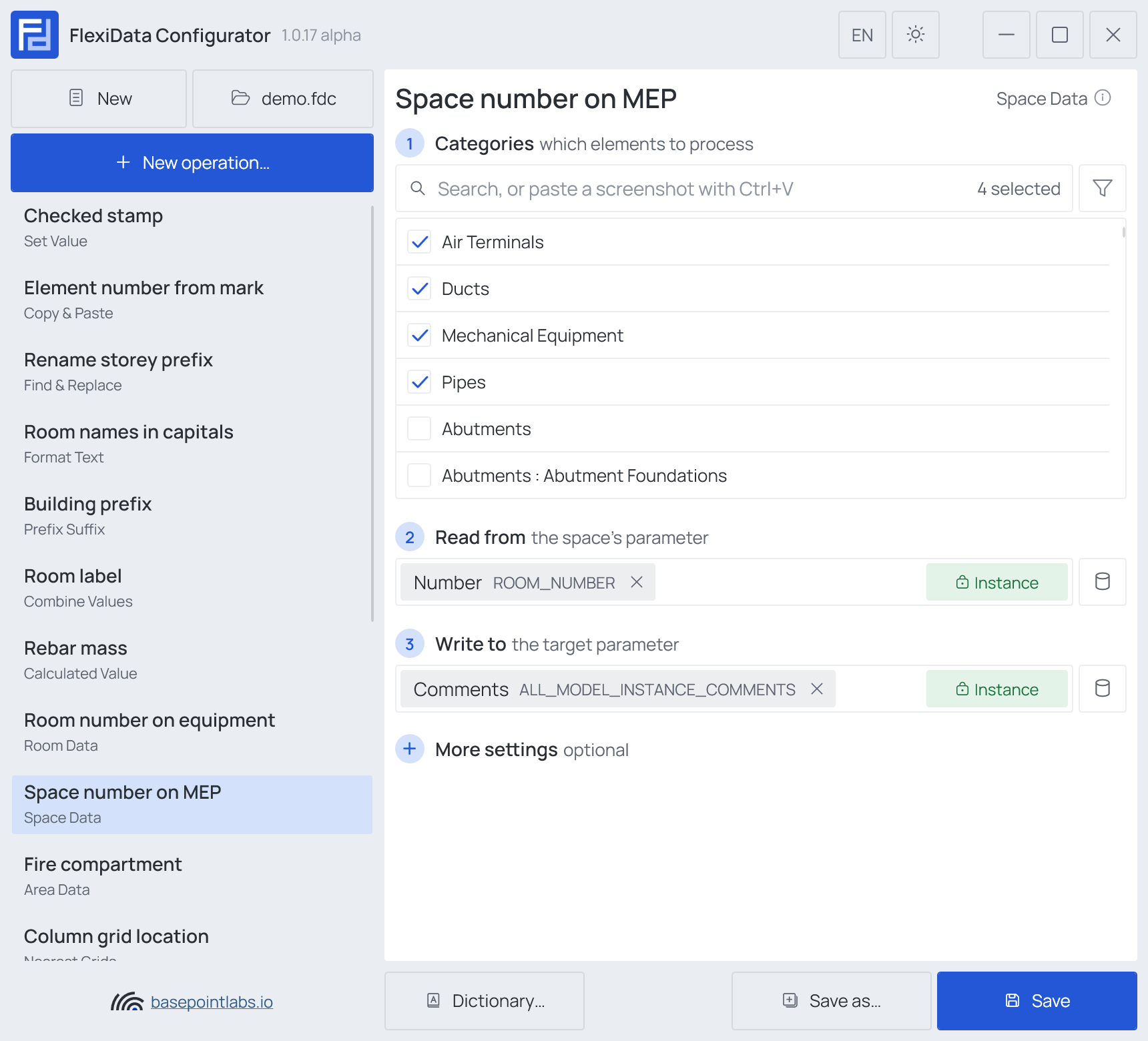
Example
| Element | Stands in | Comments after |
|---|---|---|
| Duct 520114 | Spaces B-101 and B-102 |
B-101, B-102 with All intersected spaces |
| Air terminal 520301 | Space B-101 |
B-101 |
More settings
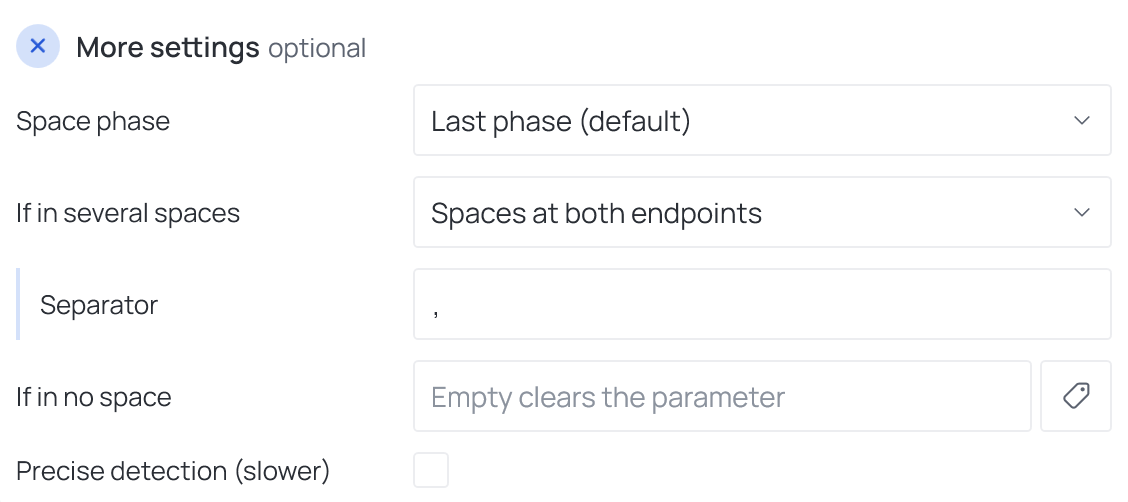
They mirror Room Data: Space phase, If in several spaces (Primary space, Spaces at both endpoints, All intersected spaces), Separator, If in no space (empty clears — see Empty values) and Precise detection (slower). There is no "which side" choice — that exists only for doors and windows in Room Data.
Works with
- Parameters: any parameter of the element — shared, project, family or built-in — typed by name, or a built-in one picked from the list; see Which parameters an operation can use.
- Smart tags: in If in no space — see Smart tags.
- Only if empty: tick it for this operation in the Executor's list before a run, and it writes only where the target is still empty.
- Filter, Active view, Selection: like every operation — see the filter and Whole model, Active view, Selection.