
Location Data
Writes where an element is, or which way it faces. Coordinates for setting out, survey exports, equipment lists; compass direction for windows and facades.
Steps
- Categories — which elements: tick the categories, and add a filter if only some of them should take part.
- Value — what is written for each element: Coordinates (X, Y, Z) or Facing direction.
- Origin — the point the coordinates are measured from: Internal Origin, Survey Point or Project Base Point (for Facing direction the step is North — the direction the angle is measured from).
- Write to (any parameter) — the target parameter.
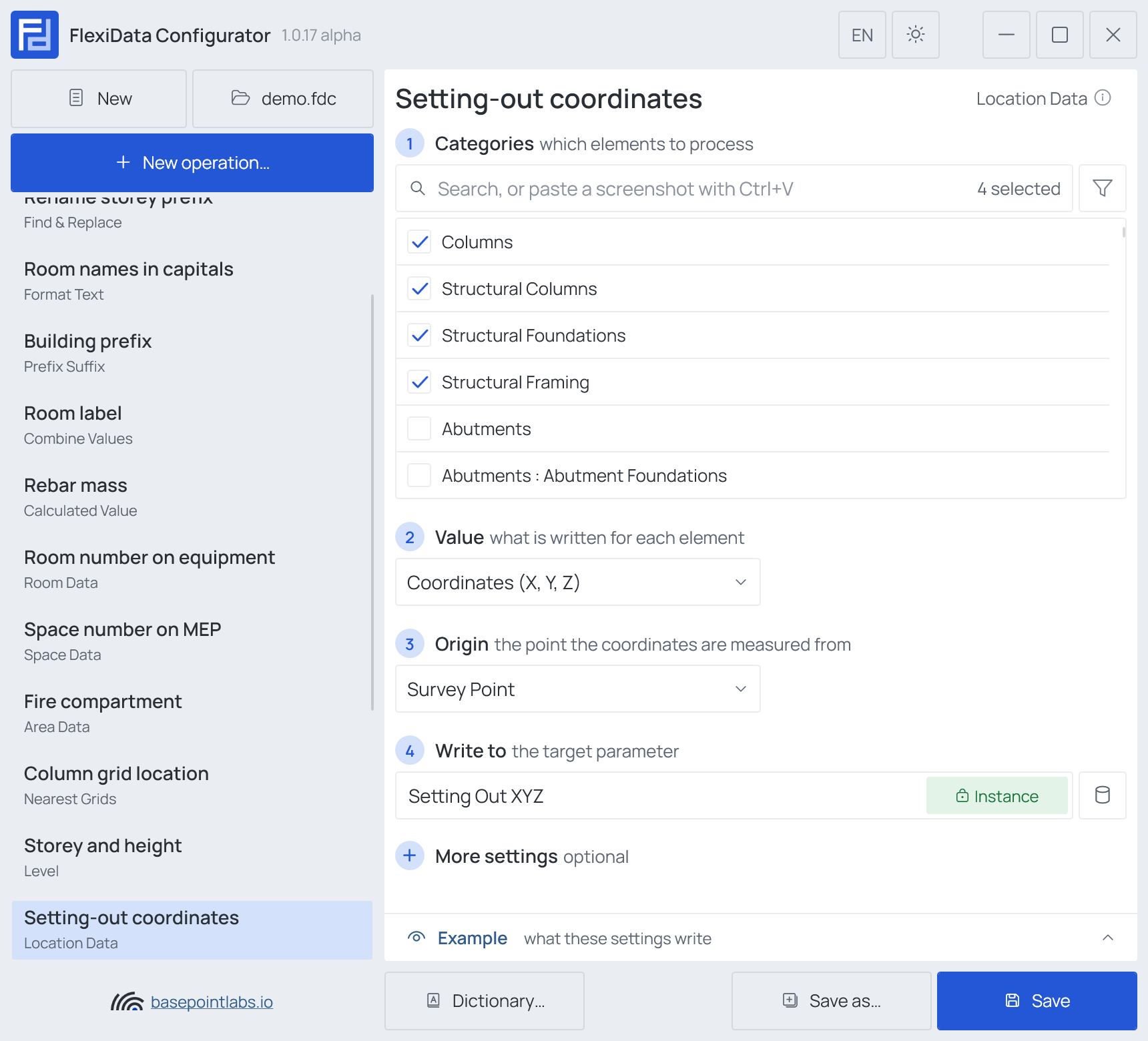
Example
| Setting | Value |
|---|---|
| Value | Coordinates (X, Y, Z) |
| Origin | Survey Point |
| More settings | Unit Meters, Decimal places 2, Decimal separator Dot |
| Element | Written |
|---|---|
| Column 610021 | 1204.50; 883.20; 12.35 |
More settings
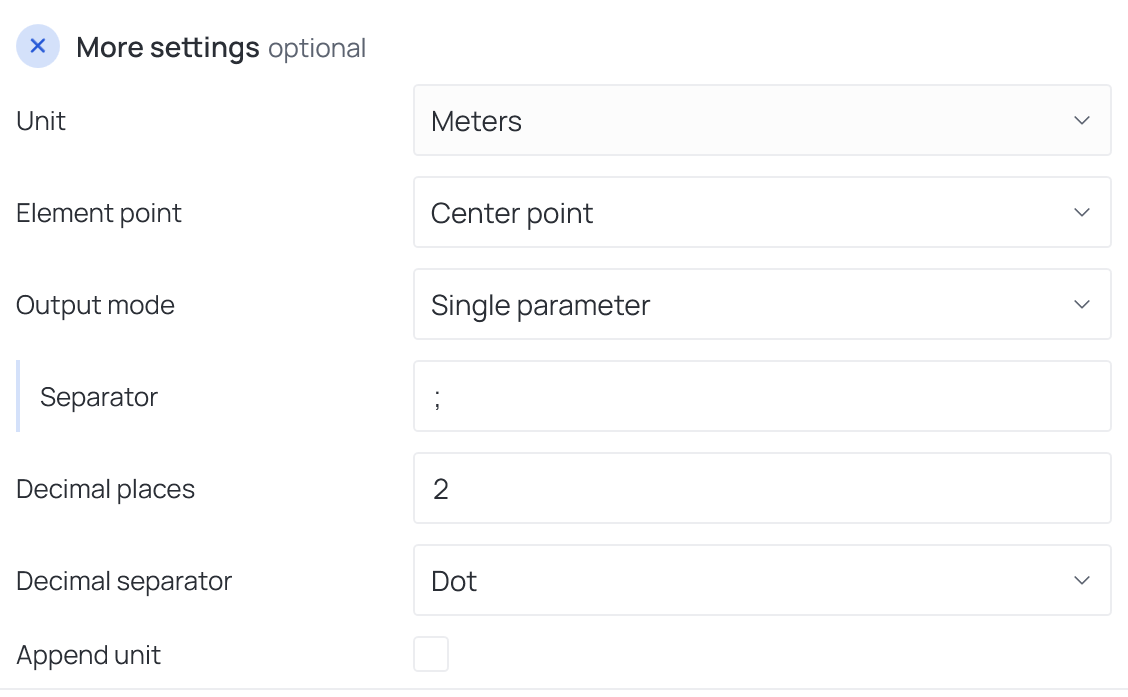
For coordinates: Unit, Element point (center, top, bottom, or start and end for linear elements), Output mode — Single parameter with a Separator, or Separate parameters (X, Y, Z) — Decimal places, Decimal separator and Append unit.
With Facing direction, step 3 becomes North — True North or Project North — and More
settings offer Direction from (Automatic, Facing side, Hand side, Host wall) and
Direction format: 8 or 16 compass points (NE, NNE) or Degrees (0–360).
Works with
- Parameters: any parameter of the element — shared, project, family or built-in — typed by name, or a built-in one picked from the list; see Which parameters an operation can use.
- Smart tags: not used by this operation.
- Only if empty: tick it for this operation in the Executor's list before a run, and it writes only where the target is still empty.
- Example: shows what the current settings write for a sample element — see Preview and Example.
- Filter, Active view, Selection: like every operation — see the filter and Whole model, Active view, Selection.