
Room Data
Writes a parameter of the room an element stands in into that element. Room number on furniture, room name on equipment, the department on every door — anything the room holds.
Steps
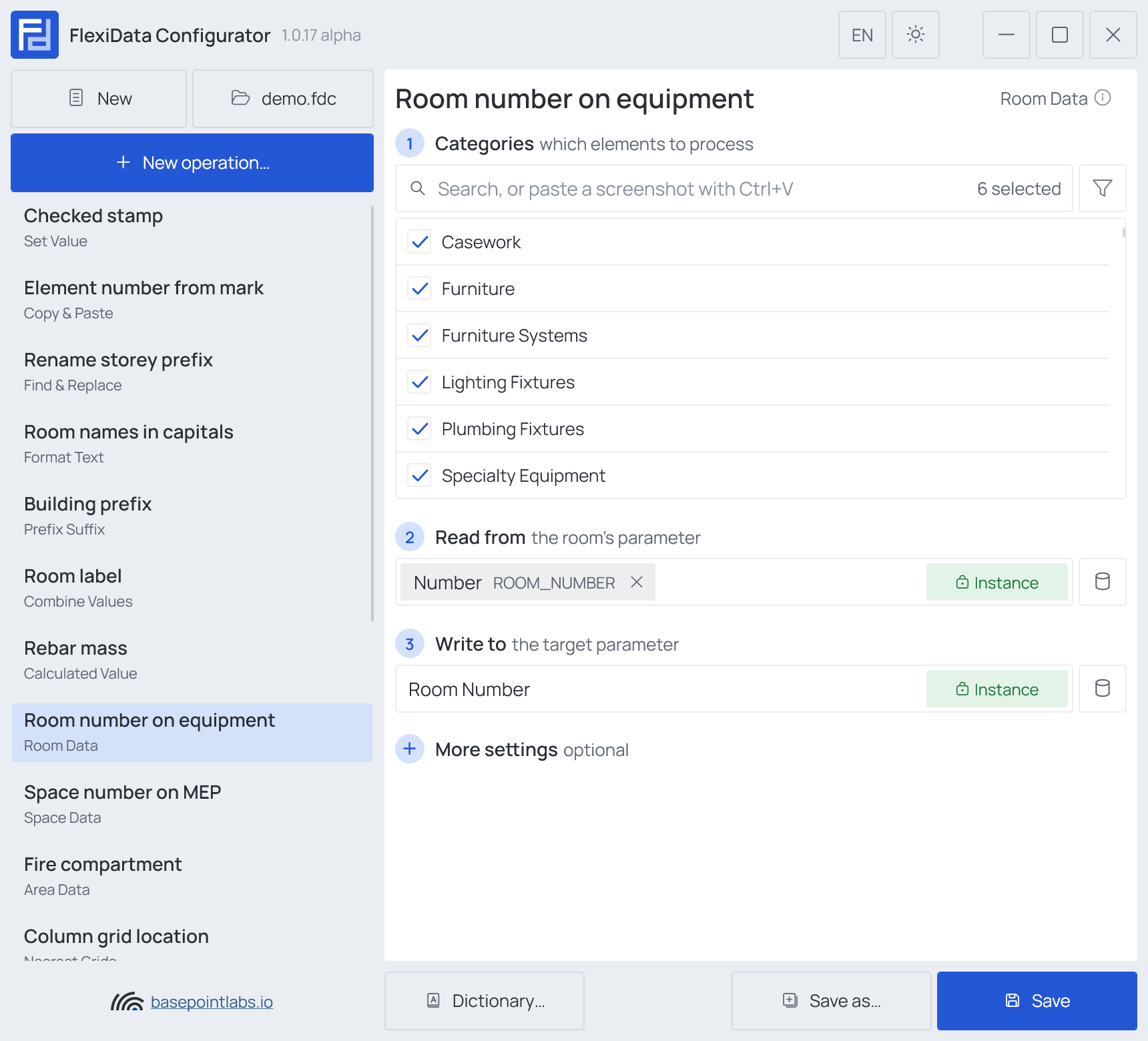
- Categories — which elements: tick the categories, and add a filter if only some of them should take part.
- Read from (any parameter) — the room's parameter: Name, Number or any other.
- Write to — the target parameter.
Example
| Setting | Value |
|---|---|
| Categories | Furniture, Casework, Furniture Systems, Plumbing Fixtures, Lighting Fixtures, Specialty Equipment |
| Read from | Number (the room's) |
| Write to | Room Number (shared, Instance) |
| Element | Stands in | Room Number after |
|---|---|---|
| Desk 412003 | Room 1.04 Office |
1.04 |
| Cabinet 412018 | Room 1.07 Kitchen |
1.07 |
| Chair 412040 | outside any room | (cleared) |
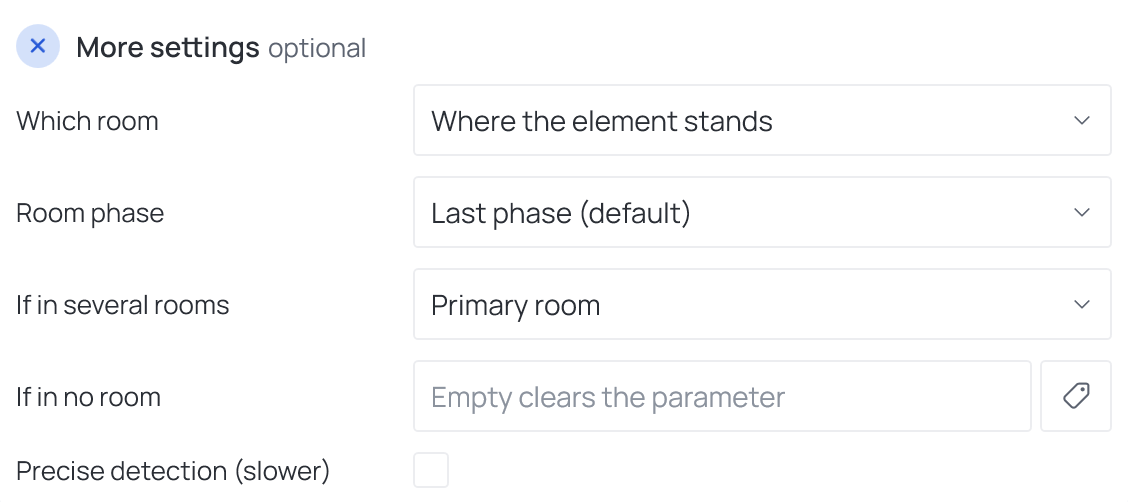
More settings
| Setting | What it does |
|---|---|
| Which room | Where the element stands (default), or for doors and windows to room, from room or both rooms. With a door/window choice, every other category is skipped and keeps its value. |
| Room phase | Rooms are read in the project's last phase by default. Choose Custom and type a phase name when rooms were placed in an earlier phase. |
| If in several rooms | For an element crossing room boundaries — a long wall, a duct: the primary room (the one holding most of it), the rooms at both endpoints, or all intersected rooms. |
| Separator | Placed between values when several rooms are written into one parameter. |
| If in no room | Text written when the element is in no room. Empty clears the parameter — see Empty values. |
| Precise detection (slower) | Checks many points across the element instead of one. Needed for elements that only partly sit in a room, such as floor drains. |
Warning
Doors and windows: Revit's To Room and From Room follow the way the door was placed, not the way it swings in reality. Check a few doors before running to room across the model.
Warning
Rooms in a linked model are not read. Room Data looks only at rooms of the model it runs in.
Works with
- Parameters: any parameter of the element — shared, project, family or built-in — typed by name, or a built-in one picked from the list; see Which parameters an operation can use.
- Smart tags: in If in no room — see Smart tags.
- Only if empty: tick it for this operation in the Executor's list before a run, and it writes only where the target is still empty.
- Filter, Active view, Selection: like every operation — see the filter and Whole model, Active view, Selection.